1. Login to your account (top right-hand corner)
2. Click the Update Details button (underneath Account Information)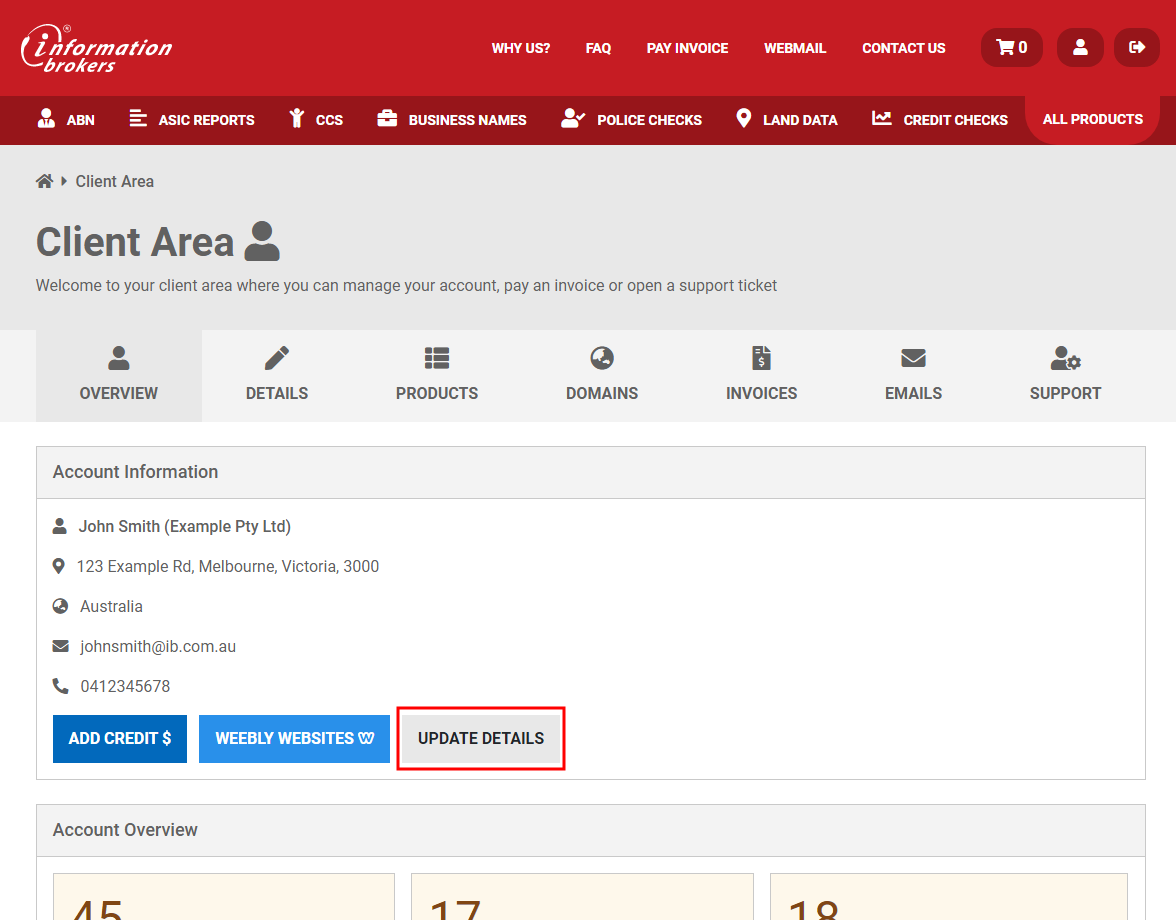
3. Click on Contacts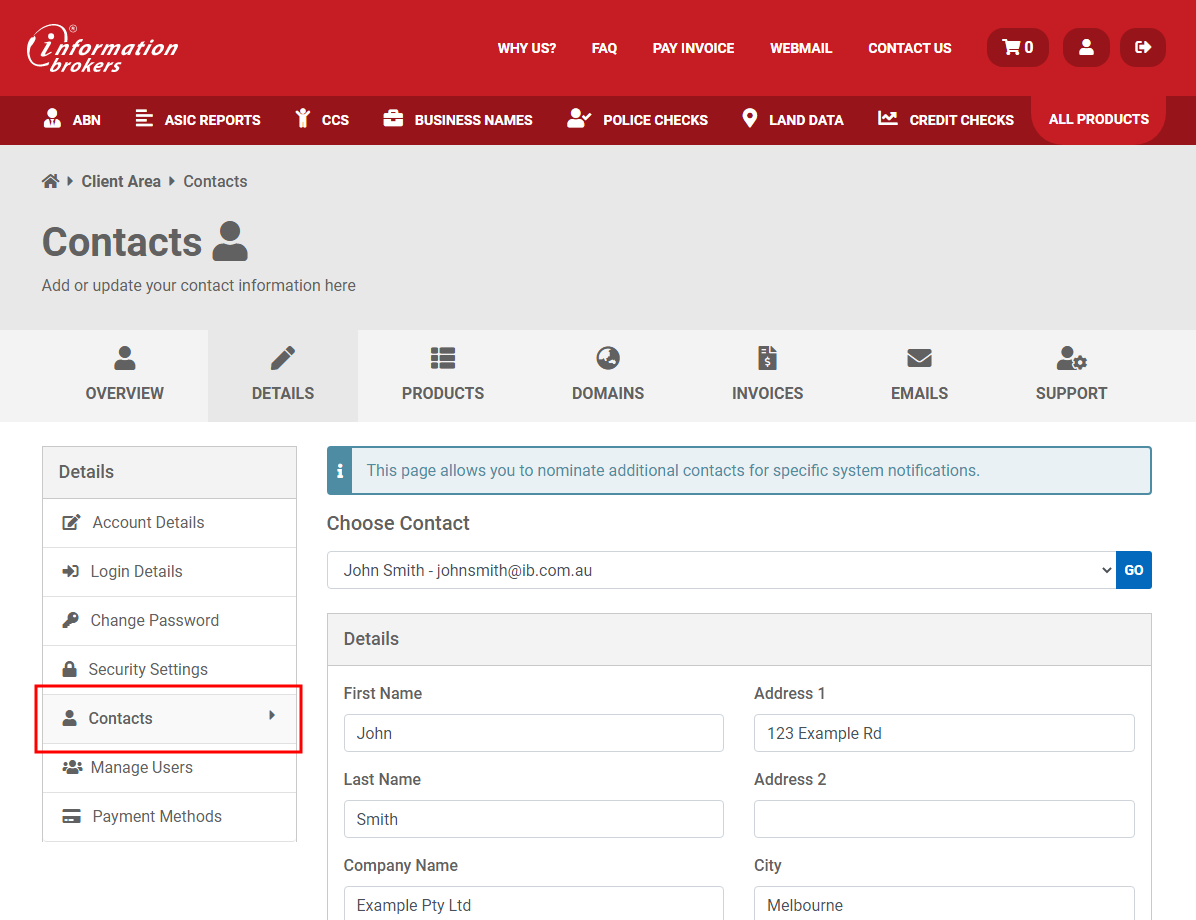
4. Select Contact in the Choose Contact dropdown
5. Scroll down to the bottom of the page and click Delete Contact
6. Click Confirm
